
Before we dive into role management, let’s clarify some terms first.
What is a Role?
Role is an entity that grants predefined permissions. In DecisionRules we have defined permissions for multiple key features such as Rules, API Keys, Folders, Spaces, etc.
DecisionRules offers some default roles, such as Admin, Editor or Reader. You are able to create custom roles according to your needs.
What about Space?
Space is the home for your rules. Every rule you create, you do so in some space. Each space can have a different set of roles. You can invite your colleagues into different spaces and assign different roles with different permissions to them based on your needs.
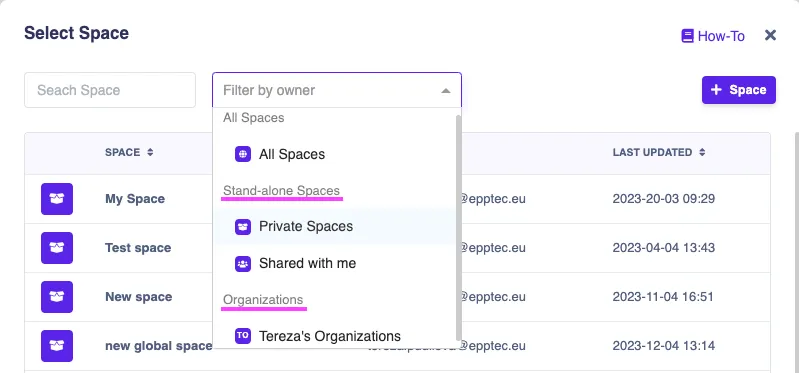
There are two types of spaces - “stand-alone” spaces and “organization” spaces.
Stand-Alone Space
Stand-Alone Space could be your private space where you are an admin and manage everything that comes with this private space of yours. It could also be a private space of someone else - for example, a colleague of yours, who invited you to his/her private space.
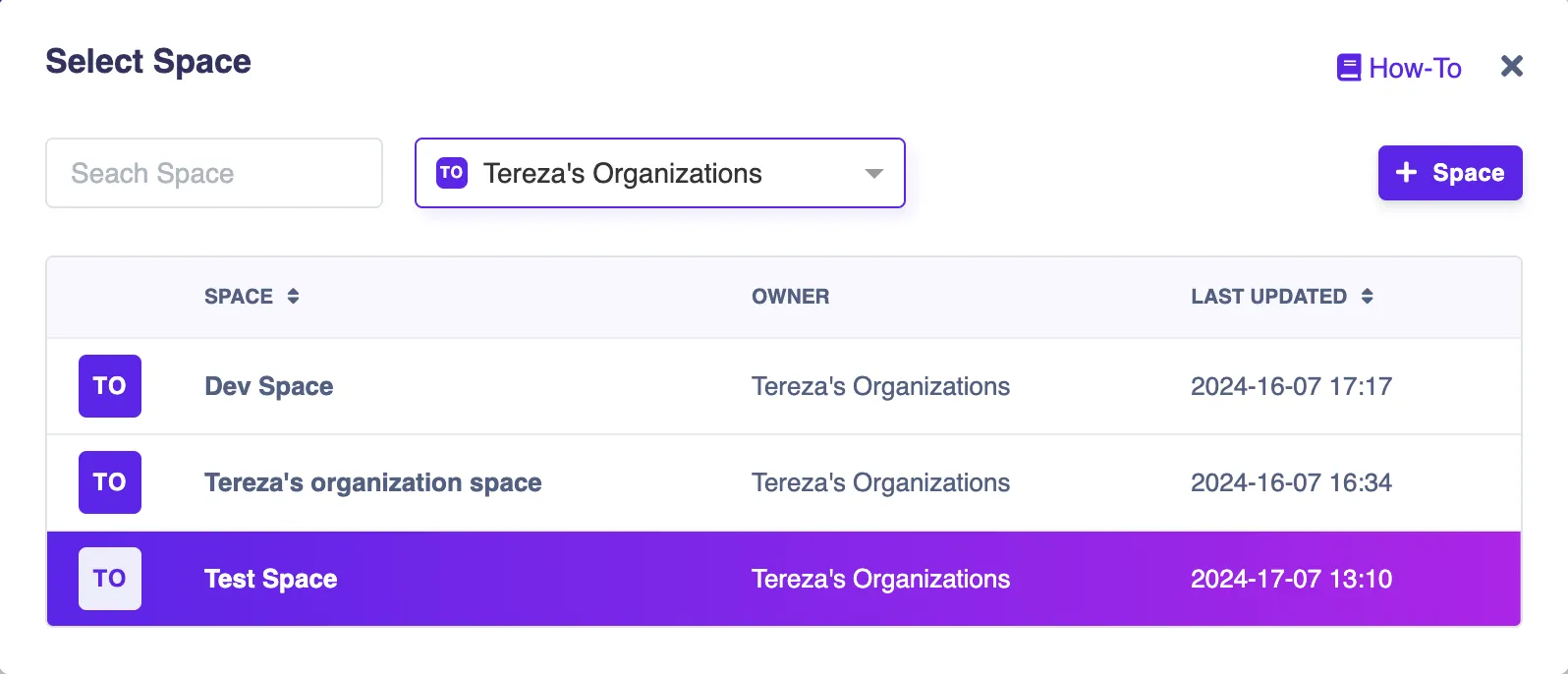
Organization Space
Organization is a powerful feature that supports administrators to orchestrate user privileges and define space permissions. Thanks to organization, users can easily manage different spaces and accounts from a single point, which makes it perfect for corporations with multiple divisions. You may check this article focused primarily on Organizations.
How to manage Roles?
Whether you work in Stand-Alone Spaces or Organization Spaces, the role management is very easy. We will cover role management in both types of spaces, since there are small differences.
Role management in Stand-Alone Space
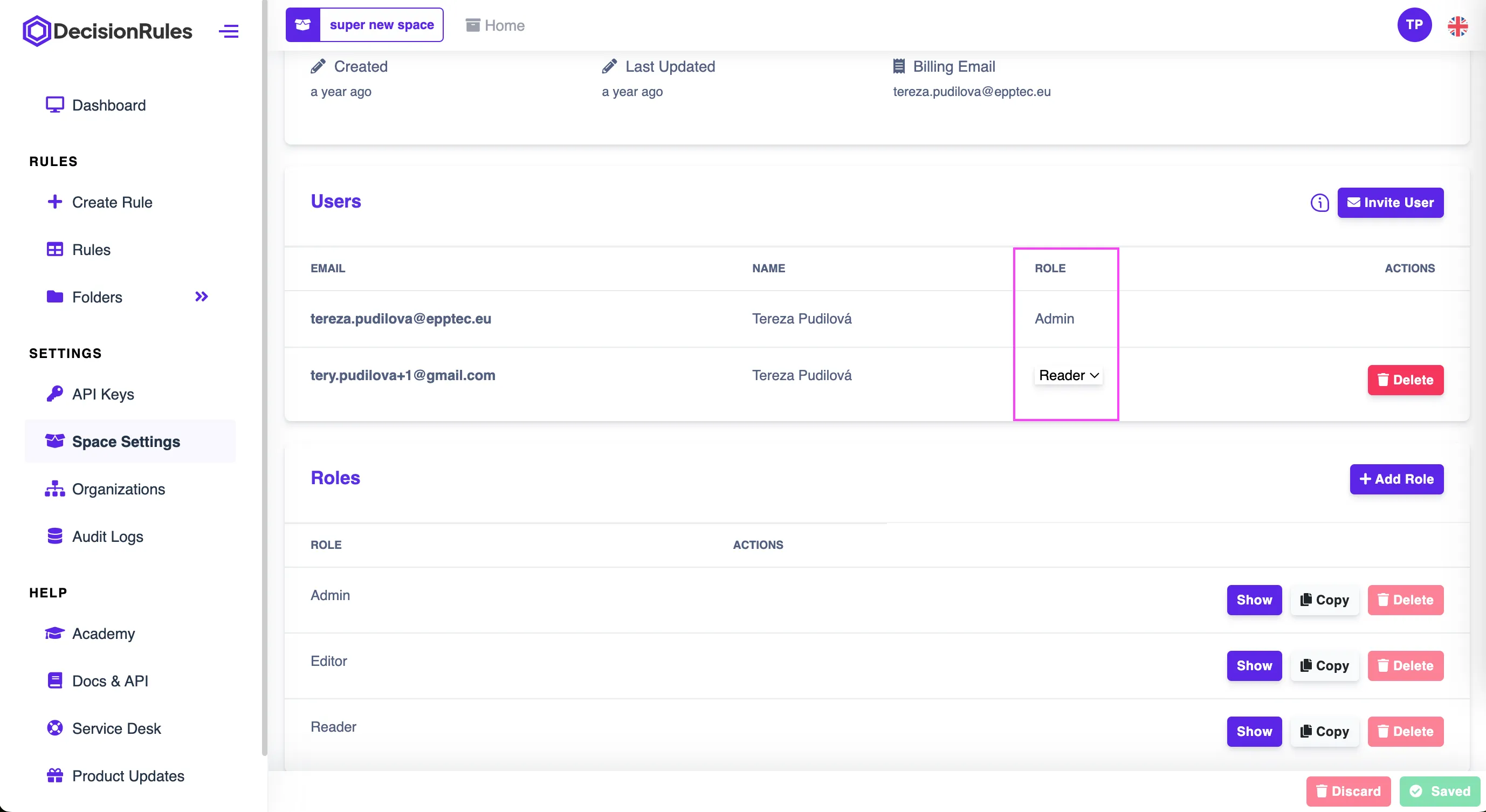
Role management in Stand-Alone Space is actually very straightforward. In space settings you can invite collaborators and set their desired roles. Do the predefined roles not meet your needs? No problem! Just create your own custom role. We have a lot of permissions covering all types of features in DecisionRules, so you can be quite creative during the role creation. For even easier creation of custom roles, you can just copy some of our predefined roles with all its permissions and check / uncheck them.
You can assign these roles to users who have accepted an invitation to your space. Alternatively, you can assign roles in other user space but you have to have corresponding permissions.
Role Management in Organization Space
Organization and role management goes hand in hand. Right after creating the Organization you can start inviting Members and set their organization roles. These roles are:
- Owner
- Admin
- Member
It is important to distinguish between Organization Roles - roles within a specific organization and Space Roles - roles within Organization’s Spaces. Space roles are the same as roles in stand-alone space. You can create custom roles as well.
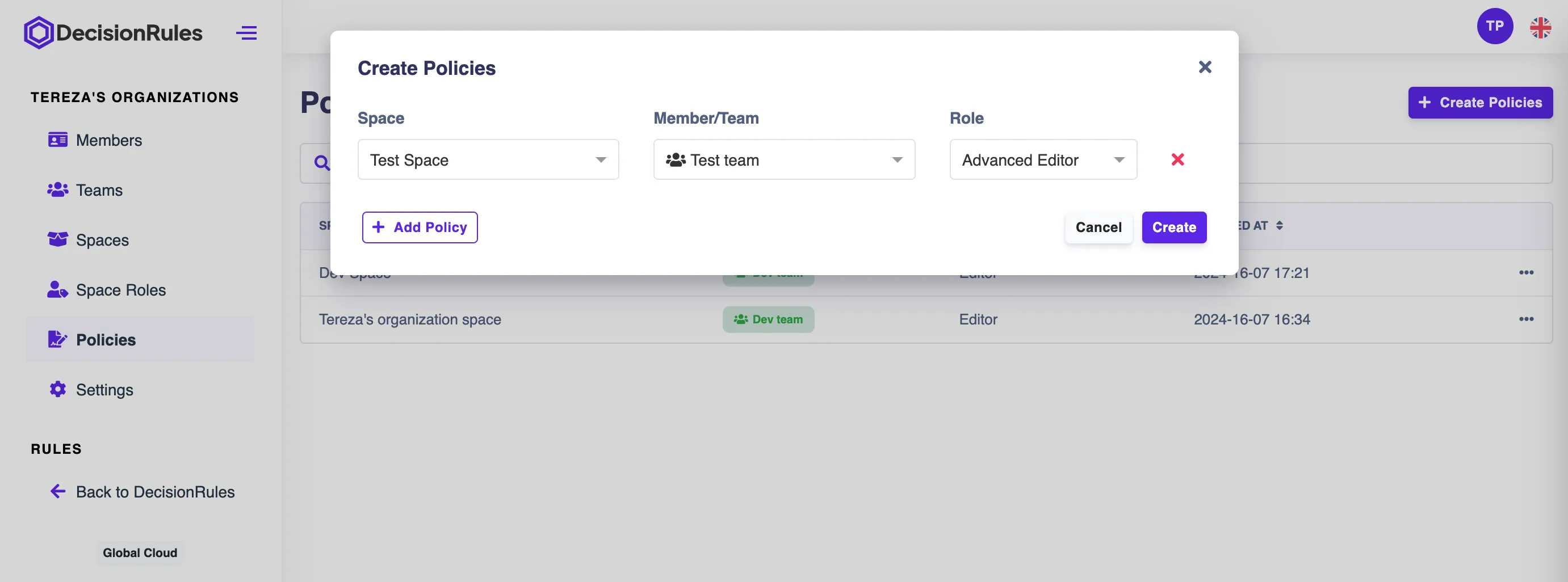
Role management is powerful in organization spaces. Unlike stand-alone spaces, you can assign roles not just to a single user but to the whole organization's team! Team is a feature exclusive to the organization and allows you to group members. Using teams during role management will save you valuable time, and it is only one of many advantages that comes with organization feature.
Assignment of roles to the teams or individual members can be done in organizations policies.
Conclusions
DecisionRules offers powerful tools for great user experience when it comes to role management. Users can manage their roles whether they are in stand-alone space or organization space. They can use default roles or create their own roles based on specific needs. Organizations can help customers with more advanced role management using organizational specific features such as teams and policies.

Tereza Pudilová
Fullstack Developer
Can I create custom roles in DecisionRules?
Yes. Besides default roles such as Admin, Editor and Reader, you can create custom roles from permissions that cover rules, API keys, folders, spaces and other features. The easiest way is to copy a predefined role with all its permissions and then check or uncheck what you need.
What is the difference between a stand-alone space and an organization space?
A stand-alone space is a private space, either your own where you are the admin, or a colleague's private space you were invited to. Organization spaces belong to an organization, where administrators manage user privileges, spaces and accounts from a single point, which suits companies with multiple divisions.
What is the difference between organization roles and space roles?
Organization roles, which are Owner, Admin and Member, define a member's role within the organization itself. Space roles define permissions inside the organization's spaces; they work the same as roles in a stand-alone space, and you can create custom space roles as well.
Can I assign a role to a whole team in DecisionRules?
Yes, in organization spaces. Teams group organization members, and in the organization policies you can assign roles to a whole team or to individual members, which saves time. In a stand-alone space, roles are assigned to individual users who have accepted an invitation to the space.