
The business rule engine market offers dozens of options, but they vary dramatically in capabilities. Some platforms lead with cutting-edge AI features, while others focus on robust security or user-friendly interfaces for business teams. Before diving into detailed reviews, here's how the top solutions compare on critical features for 2026.
Quick comparison: All 10 platforms at a glance
| Parameter | DecisionRules | InRule | Decisions | Drools | Taktile | GoRules | Higson | FlexRule | Nected | RuleBricks |
|---|---|---|---|---|---|---|---|---|---|---|
| Low-code/no-code | ||||||||||
| SaaS | Only cloud |
|||||||||
| Dedicated Specialist (on request) | ||||||||||
| Free trial | On request |
It is open source |
||||||||
| Easy to Learn | Partially Need a tutor for quick learning |
Partially Need a tutor for quick learning |
||||||||
| Case Study Templates | Partially Can find solutions on GitHub |
Small number of templates |
Small number of templates |
|||||||
| Kafka Integration | ||||||||||
| Integration Platforms | N8N, Zapier |
Zapier |
||||||||
| Excel Add-In | ||||||||||
| Lookup Tables | Only one output per key |
Partially Load data to cache memory |
Partially Required SQL knowledge |
Partially Only in flow, cannot be reused |
||||||
| AI-Assistant | Only AI node in flow |
Limited to 5 free chats. Beyond that, requires bringing your own API key. |
||||||||
| AI-Agent | Primary/sub-agent delegation, tool usage, agent-to-agent communication |
Partially AI Inference node inside a Flow, not a reusable AI Agent asset |
||||||||
| Explainable AI | Partially Decision history captures model, prompt, outputs, etc., but no structured reasoning surface |
|||||||||
| MCP Server | Community implementation, not officially supported |
For better view there is link to pdf: BRE Engines rating
On web reader can hover over a parament to see description of its meaning, you can see it in excel on the right side as example:
Low-code/no-code - Visual interface allowing non-developers to create/modify rules without writing code
When the cell used the question mark “yes/no ?” it means it will show yes or no but the reader can hover and will see additional information.
What changes in Business Rule Engines in 2026
The business rules engine market has grown to $1.67 billion in 2025 and is expected to grow to $2.56 billion by 2034, and there's a reason: companies that automate their decision-making are simply outpacing those that don't. (source)
But here's what's changed dramatically between 2025 and 2026: the tools themselves have evolved from nice-to-have features to business necessities.
AI-Powered rule creation: No longer optional
In 2025, AI assistants in business rule engines were experimental — something vendors showed in demos but few trusted in production. By 2026, that's completely flipped. Today, 58% of all new business rule management systems come with built-in AI capabilities, and industry analysts at Forrester now call AI-powered decisioning platforms "essential" rather than "emerging." (source)
What does this mean in practical terms? Speed and agility your competitors are already using:
- Speak, don't code: Business analysts can now describe what they need in plain English, and AI translates it into working rules.
The gap between companies using AI-assisted rule engines and those still doing everything manually is widening fast. In 2025, you could get away with waiting. In 2026, every week of delay means lost opportunities.
Cloud-based solutions: Better economics, not just convenience
Here's a number that should grab every CFO's attention: on-premise server costs have jumped 15% in the last year, and memory prices, critical for running business applications, have skyrocketed by 171%. If you're planning to buy or upgrade physical servers for your rule engine, your budget just got a lot tighter.
Meanwhile, cloud-based solutions have become the smart financial choice:
- Lower upfront investment: No major capital expenditure for servers, storage, and infrastructure
- Predictable operating expenses: Monthly subscription fees instead of unpredictable maintenance costs
- No hardware replacement cycles: Cloud providers handle upgrades and replacements
- Pay-as-you-grow: Scale resources up or down based on actual usage
2026 Market insight: The hidden cost of on-premise:
"With global memory prices surging by 171%, the total cost of ownership (TCO) for legacy on-premise rule engines has skyrocketed. For 2026, industry leaders are pivoting to cloud-native solutions like DecisionRules to maintain performance without the hardware-induced budget strain."
The exception? If you're in banking, healthcare, or government sectors with strict data sovereignty requirements, on-premise deployment still makes sense. For everyone else, the math clearly favors the cloud.
Regulators Closed The Black-Box Loophole
Using an opaque AI model to make a high-stakes decision is no longer a defensible architecture in regulated industries. Three regulatory tracks now converge on the same point:
- EU AI Act (Regulation 2024/1689). Credit scoring is named in Annex III as a high-risk AI system with requirements for explainability, traceability, human oversight, and post-market monitoring. Penalties reach €35M or 7% of global turnover, with extraterritorial reach and deployer liability — a bank can't offload responsibility to its vendor.
- GDPR Article 22 — already enforceable. EU data subjects have the right not to be subject to a solely automated decision with significant effects. The CJEU ruled in SCHUFA (C-634/21, Dec 2023) that credit scoring falls under Article 22, and clarified on 27 February 2025 that providing the algorithm or a step-by-step description is insufficient — the decision must be explainable to the affected person in human terms.
- United States — CFPB adverse action notices. Under ECOA and Regulation B, any creditor denying credit must give the applicant the specific, principal reason — even when AI is used. CFPB Circular 2022-03 is explicit: "A creditor's lack of understanding of its own methods is therefore not a cognizable defense against liability for violating ECOA and Regulation B's requirements." You cannot tell an applicant "the AI said no." NYDFS Part 500, EEOC, and FHA all assume the decision logic is auditable.
What this means for your business
In 2026, the convergence of AI capabilities, cloud economics, and regulatory pressure has fundamentally redrawn the competitive landscape. Choosing a business rule engine is no longer a simple exercise in weighing features against price tags — it's a choice between two architectural philosophies, and only one of them is deployable in a regulated industry.
The 2026 BRE buyer's checklist now has a clear shape:
- Deterministic core — The actual decision logic must be a set of inspectable rules, not an opaque model output.
- Audit trail per decision — For every decision: which rule version fired, which inputs were used, which path was taken.
- Versioning and governance — You need to prove which rules were live at the time of any past decision.
- AI as authoring aid, not authoring authority — A Copilot that helps an analyst write a rule is fine, and dramatically faster. An LLM that decides whether to approve a loan is a regulatory liability.
- Isolation of AI agents in flows — Where AI agents do appear in a decision flow (document extraction, sentiment, classification), they should be discrete, observable, swappable nodes, not the whole decision.
- Explainable adverse action output — If a decision is "no", the system must surface the specific, human-readable reason in the same call.
Today's leaders aren't just looking for speed — which, at tens of thousands of decisions per second, has become table stakes. They're looking for agility and defensibility: the ability to pivot pricing in hours, update compliance logic the same day regulations shift, and deploy product rules without touching a line of code — while still being able to explain every decision to a regulator, an auditor, or a denied applicant. The "wait for IT" model is a relic of the past, and so is the "the AI decided" model.
That's precisely why this comparison excludes traditional enterprise platforms like IBM ODM, FICO, Experian, and Palantir — systems built for the obsolete model.
Looking for enterprise platform comparisons?
For deeper analysis of how DecisionRules compares to traditional enterprise solutions, see: DecisionRules vs IBM ODM | DecisionRules vs Drools
The platforms we review in this article represent the current state of the art, but they are not created equal. As we examine them, we will look beyond basic performance benchmarks to the factors that determine true ROI in 2026:
- Empowerment: Can your business analysts become productive in days, or does the logic remain locked behind a months-long technical curve?
- AI Integration: Does the vendor’s AI genuinely accelerate rule creation and "explainable" decisioning, or does it just add layers of complexity?
- Seamlessness: How naturally does the engine plug into your existing ecosystem to automate end-to-end workflows?
Let’s look at who is leading the pack with AI-native, no-code agility and who is falling behind with aging, rigid architectures.
The Leading Solutions: What Each Does Best
1. DecisionRules
DecisionRules is a modern, user-friendly business rule engine for teams that want to build their decision logic their own way: business teams update the rules, engineers keep architectural control, and every decision stays transparent. It fits fast-moving, regulated industries, from banking, lending, and insurance to logistics and e-commerce, and runs in the cloud, in a private managed cloud, or fully self-hosted. A G2 High Performer in Decision Management Platforms, it pairs an AI Assistant that cuts rule authoring time by a measured ~60% (3x daily productivity) with AI Agents inside Decision Flows and a native MCP Server, while every decision still executes on a deterministic, versioned rule.
Best suited for
Organizations with a build-first mindset, where business and IT experts collaborate rather than work in silos, and who prefer to build exactly what they need and scale from there. Especially strong for banks, digital banks, neobanks, lenders, and insurtech companies where business rules change fast and staying agile matters more than buying a fixed all-in-one suite. Common use cases include credit scoring, underwriting, loan approval, risk-based pricing, fraud detection, compliance checks, data validation, dynamic pricing, and product categorization.
Independent recognition : G2 High Performer, Best Estimated ROI and Fastest Implementation badges in the Fall 2025 Grid Report
Trusted by global enterprises: Accenture, Wizz Air, Boohoo, Wolford, Coop Bank, O2 Czech Republic, Teya, Xometry, DRUO, NN, and more
Full AI stack: AI Assistant, native AI Agents, Explainable AI, and an MCP Documentation Server.
Production-proven scale: Sub-100 ms latency, 100M+ daily decisions, 99.99% availability
Premium support: SLA under 1 hour for critical issues plus Professional Services team
Broad native integration : REST API, Kafka, N8n and Zapier nodes, a Salesforce Lightning component, and an Excel Add-In, the only platform here with a native Excel add-in.
No Git-style branching : Versioning, side-by-side compare, and lock controls exist, but not branch-and-merge workflow
Scripting Rules are sandboxed: JavaScript scripting is safe-by-default but doesn't expose arbitrary npm packages
Agentic Capabilities
DecisionRules treats AI as an authoring aid, not as the decision-maker. Every AI surface accelerates how rules are built and tested — while the actual decision at runtime is always executed by a deterministic, versioned, inspectable rule. This is the architecture that satisfies EU AI Act high-risk obligations, GDPR Article 22 explainability, and CFPB adverse action notice requirements simultaneously. The platform's AI surfaces include:
| AI surface | What it does | Status |
|---|---|---|
| AI Assistant | Generates Decision Tables and Scripts from plain language, writes and debugs function expressions, produces test data, and summarizes rules in plain English. | ~60% faster authoring, measured |
| AI Agents | Independent rule callable as nodes inside a Decision Flow or via API: sentiment analysis, entity recognition, classification, and document intelligence for PDFs, Excel, and scanned documents. | Production-ready |
| Explainable AI | Adds a structured explanation object to every AI Agent response, so you can see how a result was reached. | For regulated use cases under the EU AI Act |
| MCP Documentation Server | Hosted Model Context Protocol endpoint. Lets Claude Desktop, Claude Code, or Cursor query live DecisionRules docs and API references from the IDE. | Live |
Under the hood: Decision Flow combines multiple rules, data transformations, and conditional branching into one evaluation. Native integration covers REST API, Kafka, N8n and Zapier, a Salesforce Lightning component, and an Excel Add-In. For teams leaving a legacy system, DecisionRules supports JSON-based import and has a Professional Services team experienced in migrating from Experian PowerCurve, Drools, and IBM ODM.
Full product detail: DecisionRules product overview →
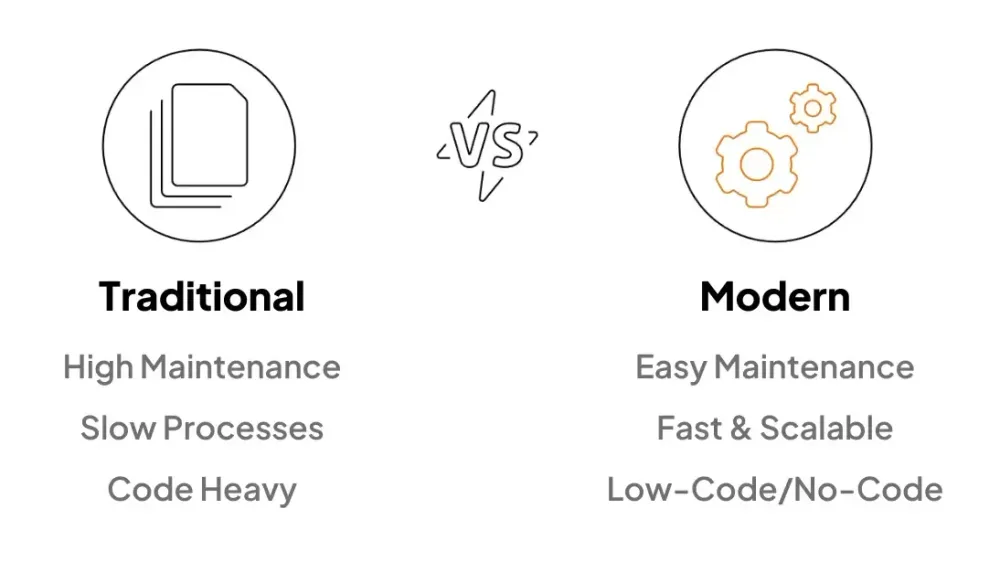
Traditional vs. Modern Business Rule Engines comparison
2. Drools
Drools is a veteran code-based business rule engine for the JVM ecosystem with over two decades of market presence. While its longevity and performance capabilities are unquestionable, implementation requires deep Java expertise and patience to navigate its extensive (often superfluous) rule syntax options. The platform provides the raw power to solve complex rule scenarios but stops short of offering built-in audit trails or analytics tools, requiring teams to build or integrate these capabilities separately.
Best suited for
Java-proficient development teams building greenfield projects who demand complete architectural control, prioritize raw performance, and have the resources to construct custom tooling around the core rule engine
ㅤ
Open-Source: Free to use and modify without vendor lock-in or recurring fees
Rule execution: Industry-leading performance for rule processing and evaluation
Large established community: Extensive developer network built over 20+ years in production
Seamless Java integration: Native JVM implementation ensures optimal performance in Java ecosystems
Full self-hosted burden: Complete responsibility for implementation, deployment, and ongoing maintenance
Java-only implementation: Locked into Java codebase with limited cross-language flexibility
Overwhelming rule format options: Dozens of syntax variations (DRL, guided rules..) create unnecessary complexity
No native AI features: AI tools only assist with general Java coding, not rule-specific optimization or generation
DecisionRules vs Drools
| Parameter | DecisionRules | Drools |
|---|---|---|
| Low-code/no-code | ||
| SaaS | ||
| Free trial |
It is open source |
|
| Easy to Learn | ||
| Case Study Templates |
Partially
Can find solutions on GitHub |
|
| LookupTables |
Partially
Required SQL knowledge |
|
| Valid values |
Hard coded Enum classes |
|
| Simple I/E formats |
.json, .xlsx |
.drl, .rdrl, .dmn, .gdst.. |
| Dynamic Schema | ||
| AI-Assistant | ||
| MCP Server |
Community implementation (not officially supported) |
For a side-by-side breakdown of how a no-code engine compares with Drools on deployment, AI, and audit trails, see DecisionRules vs. Drools.
3. Taktile
Taktile is a cloud-based decision platform built specifically for banks, lenders, and insurance companies to automate credit approvals, fraud detection, and compliance checks. It has been a G2 Category Leader for several quarters. It is cloud-only, with no self-hosted option, and its documentation and platform are not publicly accessible without a sales conversation. On AI: it includes an AI assistant and AI agents, with no MCP server.
Best suited for:
Financial services companies (banks, fintechs, lenders) comfortable with cloud-only solutions who need to rapidly change credit policies and can afford premium pricing.
ㅤ
Ready-made data connections: Pre-built integrations with credit bureaus, banking data providers, and alternative data sources
Flexible testing environment: Shared, private, and global test scenarios
AI automation included: Pre-built AI agents to analyze documents
Cloud-only platform: No option to install on your own private servers
No public access to try: Documentation requires customer login; no free trial or public demo available without sales contact
Premium pricing: Users consistently report "not cheap" pricing compared to alternatives
Setup requirements: Initial configuration of testing and custom integrations requires technical knowledge
DecisionRules vs Taktile
| Parameter | DecisionRules | Taktile |
|---|---|---|
| Low-code/no-code | ||
| SaaS/Self-hosted | Only cloud |
|
| Dedicated Specialist (on request) | ||
| Free trial | ||
| Easy to Learn | ||
| Case Study Templates | ||
| Public documentation | ||
| Integration Platforms | N8N, Zapier |
|
| AI-Assistant | ||
| AI-Agent | ||
| Explainable AI | ||
| MCP Server |
4. GoRules
GoRules is a business rule engine built around a visual decision-table editor and the open-source Zen Engine. It ships with templates across sectors such as aviation, finance, retail, and public services, and uses Git-based version control for tracking changes. The Zen evaluation core is open source under the MIT license; the editor and managed platform are commercial. On AI: it includes an AI assistant for authoring, but no AI agents or MCP server.
Best suited for:
Organizations with moderate complexity rule requirements who value ease of use, quick implementation and do not need to integrate other tools.
ㅤ
Intuitive interface: Quick learning curve for business users
Flexible testing environment: Shared, private, and global test scenarios
Built-in version control: GitHub like versioning for tracking changes
Lack of database integration: No direct database integration nodes in flow
Missing advanced features: No lookup tables or predefined value validation
No AI agents: AI is positioned for authoring rules, not as runtime nodes inside a flow
Limited audit log: Business intelligence is limited to CRUD audit logs, not full decision-execution analytics
DecisionRules vs GoRules
| Parameter | DecisionRules | GoRules |
|---|---|---|
| Low-code/no-code | ||
| SaaS | ||
| Free trial | ||
| DB Integrations | No simple node to connect database |
|
| GitHub like versioning | Partially Not GitHub-like way |
|
| Integration Platforms | N8N, Zapier |
|
| Valid values | ||
| Auto layout in flow | ||
| AI-Assistant | ||
| AI-Agent | ||
| MCP Server |
For a feature-by-feature breakdown, including database connectors, audit logging, and deployment options, see DecisionRules vs GoRules.
5. InRule
InRule is a decision automation platform with over 20 years in the market, serving regulated industries such as finance, insurance, healthcare, and government. It combines business rules management with machine learning that surfaces the factors behind a prediction. InRule offers a desktop application alongside a newer web-based interface. Initial contact is available through a chat widget on its website. On AI: it includes an AI assistant and AI agents, without MCP server.
Best suited for:
Regulated businesses that need to automate complex decisions with full transparency and explanation, want strong vendor support and guidance, and can invest time learning a powerful but comprehensive platform.
ㅤ
Easy to reach: Prominent chat on website makes it simple to ask questions and schedule demos
Real machine learning: Unlike competitors, offers actual predictive analytics that shows why decisions were made, not just AI chatbots
Trusted in regulated industries: 500+ organizations worldwide rely on InRule for mission-critical decisions requiring full audit trails
Older desktop interface: Traditional desktop tool feels dated and has some technical issues, though web version is more modern
Takes time to master: Powerful features mean there's a learning curve before users become proficient
Incomplete documentation: Some features lack clear guides, requiring more support team contact than ideal
Slow with very complex rules: Can experience delays when handling extremely large rule sets
DecisionRules vs InRule
| Parameter | DecisionRules | InRule |
|---|---|---|
| Low-code/no-code | ||
| Dedicated Specialist (on request) | ||
| Free trial | ||
| Easy to Learn | ||
| Case Study Templates | ||
| Integration Platforms | N8N, Zapier |
|
| Excel Add-In SDK | ||
| Lookup Tables | ||
| AI-Assistant | ||
| AI-Agent | ||
| MCP Server |
6. Decisions
Decisions is a .NET-based business process automation and rules platform that combines workflow management with decision-intelligence capabilities. It markets itself as low-code, though setting up complex implementations typically calls for developer involvement. It offers dashboards for tracking rule dependencies and execution history, and broad database connectivity. On AI: it provides an AI agent framework with primary and sub-agent delegation, tool usage, and agent-to-agent communication, plus an MCP server; it has no standalone AI assistant (only an AI node inside a flow).
Best suited for:
.NET-focused enterprise teams with strong technical resources who need extensive database integrations, require professional support infrastructure.
ㅤ
Professional support: Enterprise-grade support organization
Extensive database connectivity: Native support for MSSQL, Oracle, Azure, MongoDB, IBM DB2, and more
Comprehensive monitoring: Dashboards for rule dependencies, execution history, and system analytics with unit testing capabilities
No real machine learning: Unlike comparable mature platforms, offers only generative AI modules without built-in ML model training or predictive analytics capabilities
.NET ecosystem lock-in: Extensions limited to .NET SDK only
Steep learning curve: Complex feature set requires significant time investment despite low-code marketing claims
DecisionRules vs Decisions
| Parameter | DecisionRules | Decisions |
|---|---|---|
| Low-code/no-code | ||
| SaaS | ||
| Dedicated Specialist (on request) | ||
| Free trial | On request |
|
| Easy to Learn | ||
| RBAC | ||
| SDKs | Java SDK, Typescript SDK, .Net SDK, Python SDK, Go SDK, Ruby SDK |
.Net SDK |
| Dynamic Schema | ||
| Machine Learning | ||
| AI-Assistant | Only AI node in flow |
|
| AI-Agent | Agent for common tasks, e.g. document intelligence, classification, sentiment |
Primary/sub-agent delegation, tool usage, agent-to-agent communication |
| Explainable AI | Partially Decision history captures model, prompt, outputs, etc., but no structured reasoning surface |
|
| MCP Server |
7. Higson
Higson (formerly Hyperon) is an on-premise business rules management system focused on high-volume rule execution, using in-memory structures for fast lookups across large decision tables. It is delivered as an on-premise solution, so organizations manage their own data and infrastructure. Rule management happens in Higson Studio; the platform communicates over a REST API and uses Groovy for custom logic. Its design favors throughput and insurance and financial use cases over broad horizontal coverage. On AI: no built-in AI assistant, AI agents, or MCP server.
Best suited for:
Large-scale insurance providers and financial institutions with strict data residency requirements who need to execute millions of complex calculations (like premium ratings or risk scoring) with ultra-low latency.
ㅤ
Dynamic Form: Provides built-in capabilities to define and control frontend forms directly through rules
Testing & Simulation: Features a dedicated "Tester" for individual cases and a "Batch Tester" for mass regression testing
Granular Governance: Provides robust versioning (Time Versioning) and "Profiles" to manage user roles and access grades
Integration Constraints: Lacks native SDKs and language-specific libraries
Niche Scripting Language: Custom logic and complex rule extensions require Groovy
On-Premise Burden: Unlike SaaS alternatives, the user bears the full weight of hosting, scaling, and upgrading the infrastructure
Rigid ML Support : While it supports ML, it is limited to pretrained ONNX formats, meaning the platform does not support native model training
DecisionRules vs Higson
| Parameter | DecisionRules | Higson |
|---|---|---|
| Low-code/no-code | ||
| SLA < 1 hour | SLA < 2 hour |
|
| Dedicated Specialist (on request) | ||
| Free trial | ||
| Easy to Learn | Partially Need a tutor for quick learning |
|
| RBAC | ||
| Integration Platforms | N8N, Zapier |
|
| Scripting rule | JavaScript rule |
Groovy code |
| AI-Assistant | ||
| AI-Agent | ||
| MCP Server |
8. FlexRule
FlexRule is a traditional business rule engine built around DMN-style flowchart decision modeling, with self-hosted deployment. It includes unit testing, git-based versioning, and machine learning capabilities. Implementing and maintaining it calls for technical resources, and despite low-code messaging on its website, hands-on use leans developer-oriented rather than business-user-oriented. On AI: machine-learning capabilities are built in, but there is no LLM-based AI assistant, AI agents, or MCP server.
Best suited for:
Technical teams with strong DevOps capabilities and in-house development resources who prefer traditional DMN flowchart methodologies, and can absorb the costs of self-hosting and ongoing maintenance in exchange for machine learning capabilities and complete system control.
ㅤ
Interactive data visualization: Generate dynamic charts based on rule input/output data for analysis
Machine learning: Built-in ML capabilities for advanced decision automation
Comprehensive unit testing: Built-in testing framework mirrors standard software development unit test practices
Git-based versioning: Native integration with git workflows for version control and collaboration
Not low-code: Requires substantial technical knowledge despite any low-code marketing claims
Outdated interface: Aging UI reflects the platform's mature but dated architecture
Full self-hosted burden: Complete responsibility for implementation, deployment, and ongoing maintenance
No LLM-based AI: Composite AI is ML-driven but no AI Assistant for rule authoring
DecisionRules vs FlexRule
| Parameter | DecisionRules | FlexRule |
|---|---|---|
| Low-code/no-code | ||
| SaaS | ||
| Easy to Learn | ||
| GitHub like versioning | Partially Versioning plus side-by-side compare, no native branching |
|
| SDKs | Java SDK, Typescript SDK, .Net SDK, Python SDK, Go SDK, Ruby SDK |
.NET SDK, JavaScript/NodeJS SDK |
| Integration Platforms | N8N, Zapier |
|
| Specialized API Endpoints | Solver API, Management API, BI API, Jobs API, Console Logs API, Apache Kafka Solver API |
Unified API with single OAuth2 token system |
| Machine Learning | ||
| AI-Assistant | ||
| AI-Agent | ||
| MCP Server |
9. Nected
Nected is a business rule engine with a feature-rich interface and a large video-based learning library. It includes dependency mapping to track where rules are used across workflows. On AI: it includes an AI assistant (capped at five free chats, after which you connect your own API key) and AI agents, with the AI oriented toward code assistance rather than generating rules from natural language, and no MCP server.
Best suited for:
Teams that value feature-rich platforms and are willing to invest time learning through video tutorials and don't require direct SDK integration.
ㅤ
Extensive video guides: Comprehensive video library helps users learn the platform
Dependency mapping: Visual tracking shows where rules are used across workflows
Rule scheduling: Set specific timeframes when rules become executable
Overcomplicated UI: Modern appearance undermined by cluttered design with excessive buttons and windows
Limited AI assistance: AI only helps with code snippets, not with actual rule creation
No SDKs available: Missing native software development kits for application integration
5-chat AI Copilot limit: AI Copilot is hard-capped at 5 free chats, after which users must connect their own AI provider
DecisionRules vs Nected
| Parameter | DecisionRules | Nected |
|---|---|---|
| Low-code/no-code | ||
| Dedicated Specialist (on request) | ||
| Free trial | ||
| ISO 27001 | ||
| RBAC | ||
| Dynamic Schema | ||
| SDKs | Java SDK, Typescript SDK, .Net SDK, Python SDK, Go SDK, Ruby SDK |
|
| Lookup Tables | Partially Required SQL knowledge |
|
| AI-Assistant | Runs on Gemini, no practical chat limit for users |
Limited to 5 free chats. Beyond that, requires bringing your own API key. |
| AI-Agent | ||
| Explainable AI | ||
| MCP Server |
10. RuleBricks
RuleBricks is a JSON-based business rule engine with a decision-table interface, aimed at small businesses and developers. Teams can create and share custom templates, and support is handled mainly through Discord. Pricing starts at $58.5 per month, and it is generally a fit for small to moderate rule sets. On AI: it includes an AI assistant, with an AI inference node inside flows rather than a reusable AI agent, and no MCP server.
Best suited for:
Small businesses with limited budgets and technical teams comfortable with community-based support who don't need to manage extensive rule libraries or require rapid enterprise-level assistance.
ㅤ
Affordable pricing: For team of 5 member tier at $58.50/month
Claude Code guardrails: Open-source project for adding real-time guardrails to Claude Code tool calls
Team template sharing: Create and share templates across team members
Limited support resources: Small team leads to slower response times
Minimal template library: Few predefined templates available out of the box
No flow debugging: Only input/output tracking available, no proper debugging tools
DecisionRules vs RuleBricks
| Parameter | DecisionRules | RuleBricks |
|---|---|---|
| Low-code/no-code | ||
| SLA < 1 hour | SLA < 8 hours |
|
| ISO 27001 | ||
| Free trial | ||
| Case Study Templates | Small number of templates |
|
| Specialized API Keys | Solver API, Management API, BI API, Jobs API, Console Logs API, Apache Kafka Solver API |
Unified API surface |
| Dynamic Schema | ||
| Lookup Tables | Partially Only in flow, cannot be reused |
|
| AI-Assistant | ||
| AI-Agent | Partially AI Inference node inside a Flow, not a reusable AI Agent asset |
|
| Explainable AI | ||
| MCP Server |
Your Selection Checklist: Questions to Ask Yourself
Ease of use & Team readiness
- "Can our team actually use this?" - Does it require coding skills, or can business analysts manage rules independently?
- "How long until we're productive?" - What's the realistic onboarding time? Days, weeks, or months?
- "Who will maintain this?" - Do you need dedicated developers, or can domain experts handle day-to-day changes?
Financial reality check
- "What's the true total cost?" - Beyond licensing: implementation, training, maintenance, and support costs.
- How does pricing scale?" - Is it per user, per API call, or flat enterprise pricing? What happens as you grow?
- "What are the hidden costs?" - Custom integrations, professional services, infrastructure requirements.
Technical fit
- "Will it work with what we have?" - Integration capabilities with your CRM, ERP, databases, and existing systems.
- "What about our compliance requirements?" - Does it meet industry certifications (ISO 27001, SOC 2, GDPR, HIPAA)?
- "On-premise or cloud?" - Do you have data sovereignty requirements, or can you leverage cloud economics?
AI Maturity & Regulatory Fit
- "Is the AI documented and self-serve, or just marketed?" - A docs page with setup instructions is a real product. A landing page with "AI Assistant - coming soon" is not. Ask for the docs URL during the demo.
- "Who pays for the AI compute?" - Does the vendor include AI capacity, or do you need to bring your own Claude / OpenAI / Gemini API key? BYO-AI shifts cost, rate-limit management, and an integration step onto your team.
- "Can the platform explain a single AI-driven decision?" - Can it produce a confidence score, the reasoning, and the source evidence behind one specific output in human-readable form for an applicant who was declined, an auditor doing a sample, or a regulator under GDPR Article 22?
- "Does the platform have a native MCP server?" - Useful if your engineering team works inside Claude Code, Cursor or any other MCP-compatible IDE and wants to query rules and docs without leaving the editor.
Growth & Future-proofing
- "Can we grow with it?" - Auto-scaling capabilities, performance at volume, multi-region support.
- "Does it have AI capabilities?" - Not just marketing buzzwords but actual AI-assisted rule creation and optimization.
- "What's the vendor's roadmap?" - Are they investing in new features, or is this a legacy product on life support?
Risk management
- "What happens when we need help?" - 24/7 support? SLA guarantees? Or community forums and "best effort"?
- "How stable is the vendor?" - Are they a startup, established player, or part of a larger company?
- "What migration support is available?" - Dedicated specialists, Professional Services team, or DIY documentation?
Making your decision
The business rule engine landscape has fundamentally shifted in 2025. The question is no longer "should we automate our decision-making?" but rather "which platform will help us move fastest?"
Here's your next step:
- Identify your priority: Is it speed to market, cost reduction, regulatory compliance, or reducing IT dependency?
- Shortlist 2-3 platforms that match your priority and industry needs.
- Request working demos — bring real business rules from your organization and see how each platform handles them. Whether you're evaluating DecisionRules, Drools, or any other solution, the proof is in how they handle your specific use case.
- Calculate total cost over 3 years, not just one.
- Test the AI surface on your own data. Have the AI Assistant generate a real rule from a real policy document you already have. Look at what it produces. If the AI is BYO-provider, ask the vendor to walk you through the integration setup and per-call cost math.
- Pull a single decision through the audit trail. Run one realistic transaction. Ask: which rule version fired, what was the input, what was the output, and if AI was involved what was the reasoning and source evidence? If the platform can't answer all four cleanly, it won't pass an EU AI Act conformity assessment or a CFPB adverse action review.
- Calculate total cost over 3 years, not just one. Include AI provider costs, professional services, internal headcount, and migration if you're moving off a legacy BRMS.
- Study how others have implemented it — independent reviews on G2 or Capterra, and implementation stories give you insights beyond sales pitches. See how First Response Finance reduced decision time by 85% or explore all customer success stories.
The biggest mistake? Choosing based on features you'll never use instead of solving the specific problem slowing your business down today. The vendors winning this year aren't the ones with the most AI features — they're the ones whose AI lives where AI belongs (authoring, document parsing, test generation) and whose decisions stay deterministic, versioned, and inspectable.
All the platforms reviewed in this article have their strengths. Your job is to find which strength matches your weakness.
Co-Author: Ivan Peresta
Ivan is a Product Analyst at DecisionRules. He specialises in connecting business logic with project management tools to drive measurable results.
ㅤ
Methodology and disclosure: This comparison is authored by DecisionRules. Competitor assessments are sourced from public vendor documentation, G2 verified user reviews, hands-on platform testing by our analyst team, and independent third-party publications including Finextra, BCS, The European Business Review, and BBN Times — cited inline throughout the article. We encourage readers to evaluate all platforms against their specific requirements and to request demos directly from each vendor.
Vocabulary
- API - Interface, allowing to integrate decision platform with existing environment.
- Deployment flexibility - Multiple deployment options on public cloud, privately managed cloud, and on-premise.
- Infrastructure auto-scaling - Ability to dynamically increase performance when needed and decrease when redundant while customers pay only for what they need.
- Flexible pricing plans - Pricing according to customer needs based on number of API calls or enterprise plans for more demanding customers.
- Business intelligence - Direct PowerBI or other BI platform.
- Excel Add-In - Add-In directly in MS Platform allows to call custom rules directly from Excel.
- Comprehensive Documentation - Free, publicly accessible documentation with structured format.
- Academy - Free academy with video tutorials to quickly onboard new users and improve their user experience with the platform.
- Global Cloud Availability - Data centers around the globe improve performance and reduce latency.
- Regional Cloud - Ability to restrict the cloud on a predefined area. Important feature for a compliance in cases when data cannot leave certain area eg. European Union.
- Native Cloud Support - Native support of AWS, MS Azure and GCP deployment with Kubernetes and Docker support.

Vaclav Kandrnal is the CEO and Co-Founder of DecisionRules, the business rules platform built for technology leaders who want to keep their decisioning logic in their own hands. Build-first organizations choose DecisionRules to run their decisioning without vendor lock-in. The platform processes 100M+ decisions for clients in 25+ countries. He brings 20 years of experience in financial services, with leadership roles at GE Capital, Erste Group, Zopa, and MONETA, where he helped architect digital banks from the ground up.