Access Management
Collaborate freely. Control precisely.
Bring your team together in a shared decision environment. Invite colleagues, assign the right roles, and collaborate on business logic with confidence while maintaining complete control over access and permissions.
Build Together
Invite teammates into shared workspaces and collaborate on business rules throughout their entire lifecycle.
Stay in Control
Assign predefined or custom roles to ensure every contributor has exactly the access they need.
Scale with Confidence
Support growing teams with flexible collaboration that adapts to your business without increasing administrative complexity.
Invite Your Team
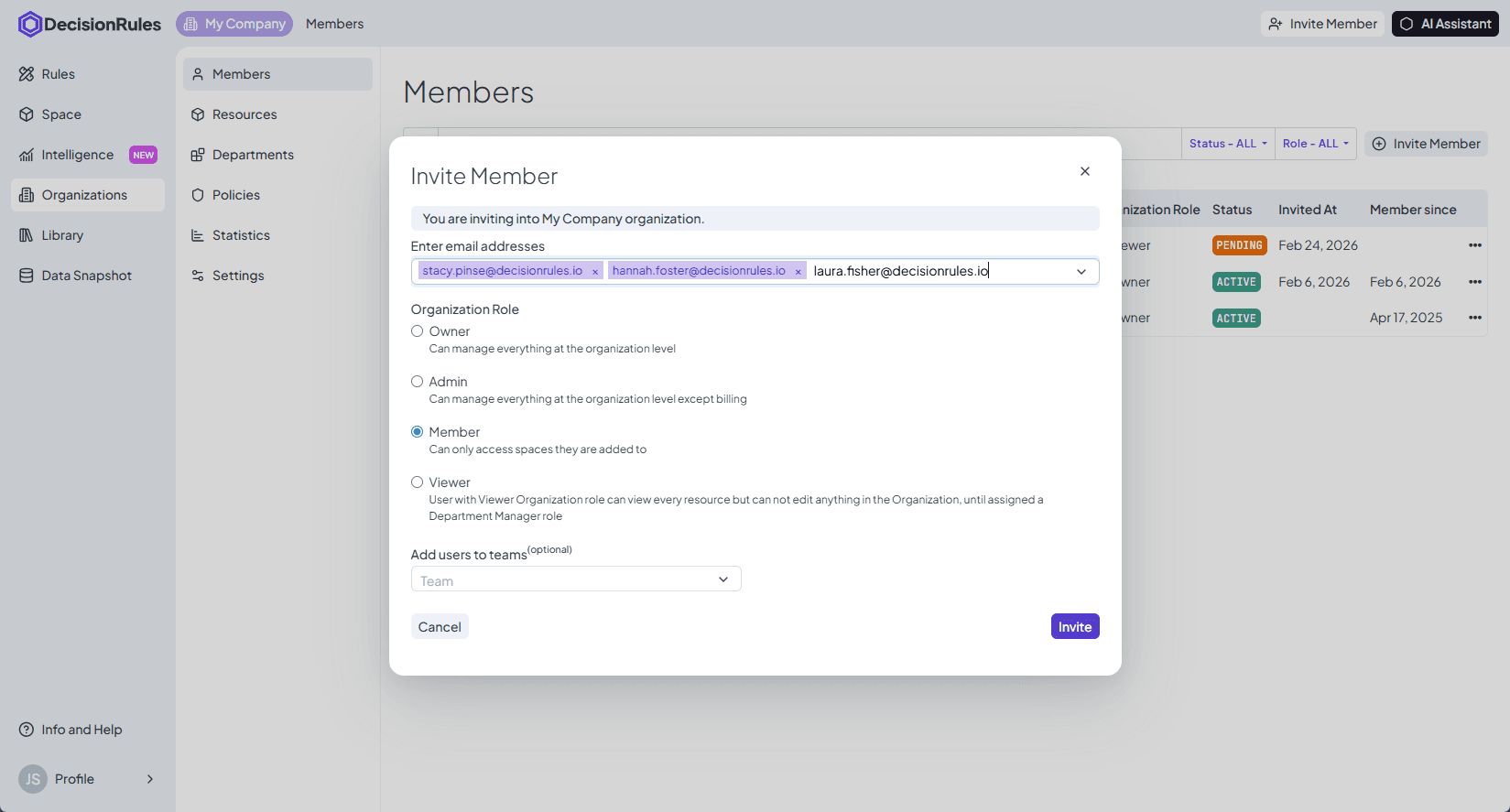
Collaboration starts with the right people. Invite new or existing DecisionRules users into your workspace and start working together within minutes.
- Invite new and existing users
- Manage workspace membership
- Remove access at any time
Work Together
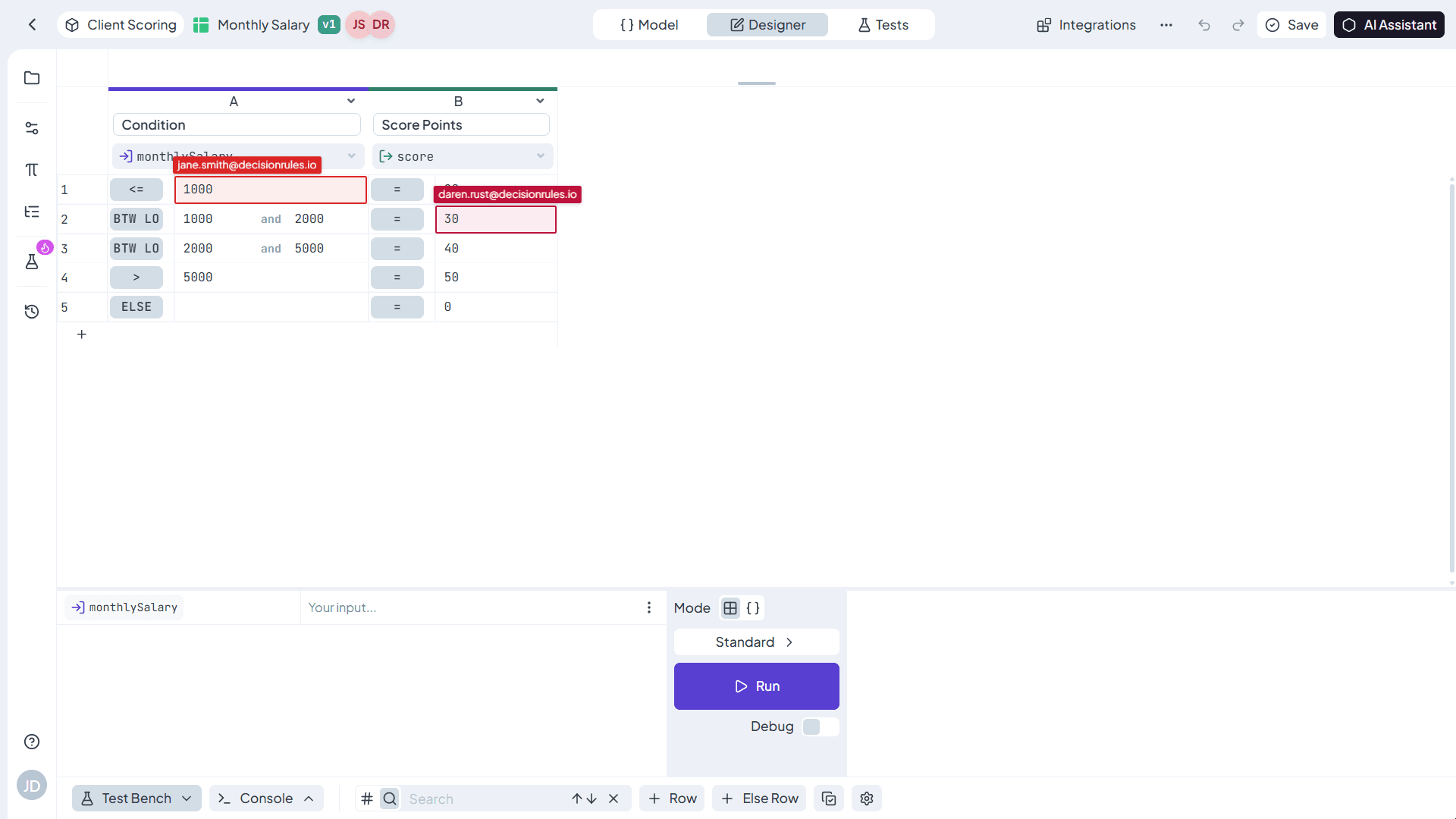
Collaborate in a shared workspace where everyone works with the same business logic instead of maintaining separate copies. Teams stay aligned while every change remains visible to authorized collaborators.
- Shared business rules
- Centralized collaboration
- One source of truth
Assign the Right Role
Choose from predefined roles or create custom permission models that match your organization's responsibilities. Every contributor gets the right level of access from day one.
- Admin, Editor, and Reader roles
- Custom Roles
- Fine-grained permissions
Adapt Permissions to Your Workflow
Every team works differently. Customize permissions to fit your governance model while keeping collaboration simple and secure for everyone involved.
- Tailored permission sets
- Flexible governance
- Secure collaboration at scale
Frequently Asked Questions
Still have questions? We have answers.
Working with Roles & Permissions
Which roles are available?
DecisionRules includes predefined Admin, Editor, and Reader roles for common collaboration scenarios. For advanced requirements, Custom Roles let you define permissions that match your organization.
Can I change a user's role later?
Yes. Workspace administrators can update a user's role whenever responsibilities change, so permissions continue to reflect each team member's current work.
Why should I use Custom Roles?
Custom Roles let you create permission models that match your organization's workflows, giving you more control than predefined roles alone.
Managing Team Access
Can I remove users from a workspace?
Yes. Workspace administrators can add or remove members whenever needed, helping you keep access aligned with your team.
Can the same user collaborate in multiple workspaces?
Yes. Users can participate in multiple workspaces, with permissions managed independently in each one.
Getting Started
Can multiple users work on the same business rules?
Yes. Secure Collaboration allows authorized users to work together in the same shared workspace, ensuring everyone has access to the latest version of your business logic.
How do I invite users to my workspace?
Invite both new and existing DecisionRules users directly into your workspace. Once they accept the invitation, they can immediately begin collaborating based on their assigned role.
Best practices
Assign permissions based on responsibilities
Give each team member only the access they need to perform their work. Built-in roles are ideal for most collaboration scenarios, while Custom Roles help support specialized responsibilities without compromising security.
Keep everyone in the same workspace
Whenever possible, collaborate within a shared workspace instead of maintaining separate copies of business rules. Working from a single source of truth improves communication, reduces duplication, and helps every stakeholder stay aligned throughout the decision lifecycle.
Try for Free
Experience DecisionRules at no cost. A credit card is not required for the trial.
Start for freeContact Sales
Have questions? Our sales team is here to help you find the best solution for your business.
contact sales