Rule Editor
Edit rules in plain language
Update your existing rules by describing the change you need. The AI Assistant reads the rule, interprets your request, and prepares the edits you asked for. Nothing more, nothing less.
Precision editing without switching context
Tell the Assistant what to change using everyday business terms. It understands your rule logic and makes targeted updates to rows, models, or variables.
Full control over every proposal
You review each suggested change before it’s applied. See exactly what will be added, removed, or modified. You decide when and whether to save.
Support for complex logic, safely
From simple value updates to structural changes, the Assistant handles sophisticated edits. It respects your models and constraints while keeping version history intact.
Change With Clarity
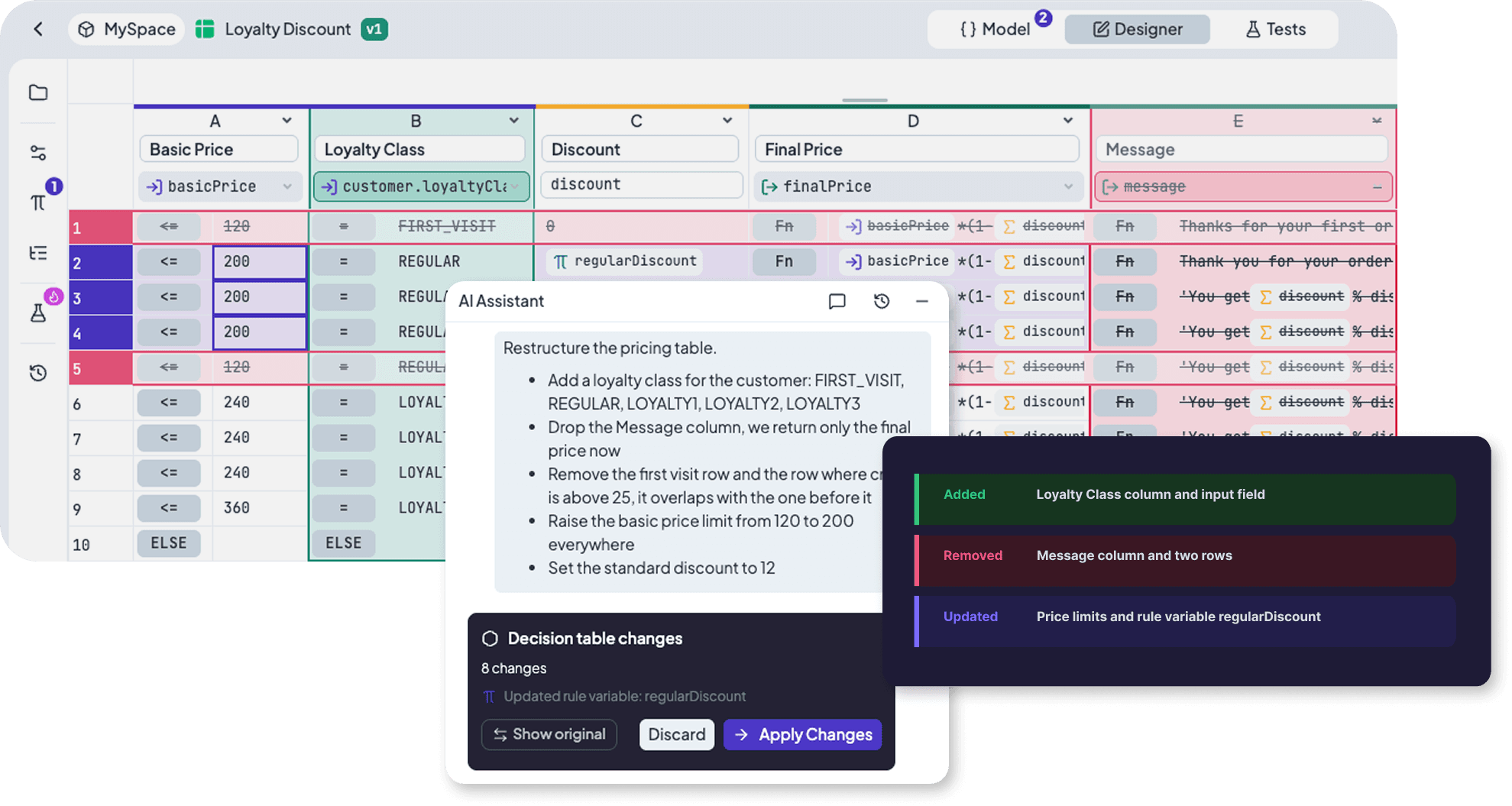
Describe adjustments to thresholds, conditions, outputs, or structure. The Assistant interprets your intent and maps it precisely. Every edit stays aligned with valid syntax.
- Modify cell values or expressions
- Add or remove rows and columns
- Update input output models
Context-Aware Editing
Select a cell in a Decision Table or node in Decision Flow to narrow the Assistant’s focus. It uses test cases to validate expected results. Your prompt combines with real runtime context for accurate proposals.
- Respects selected nodes or ranges
- Applies test cases data when referenced
Review Before Anything is Applied
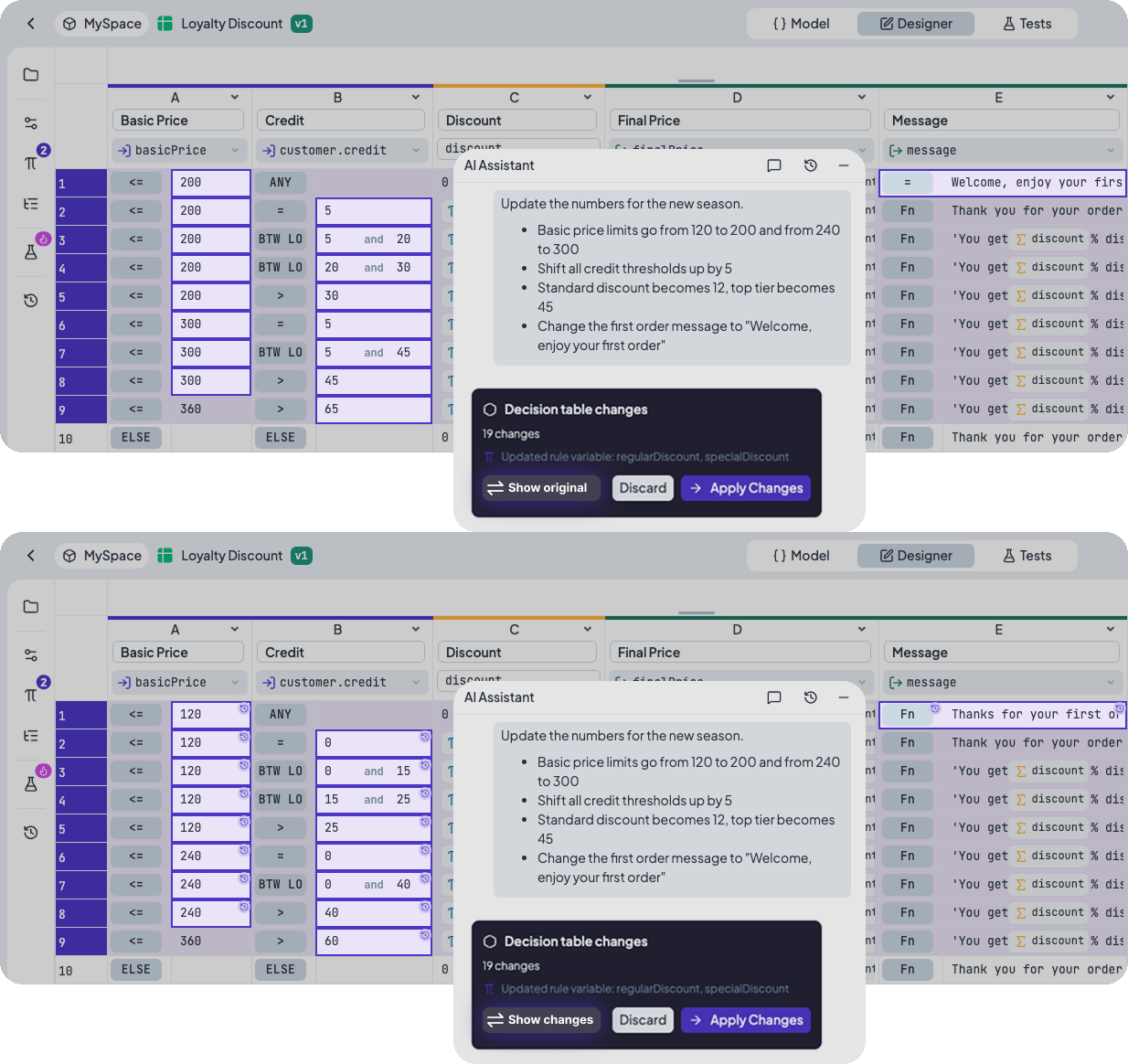
You review every edit clearly marked in the rule. Apply, discard, or refine the proposal. Save only when you choose.
- Preview edits with visual diffs
- Refine proposals before applying
Frequently Asked Questions
Still have questions? We have answers.
Getting Started
Editing Process
Review, Safety and Availability
Try for Free
Experience DecisionRules at no cost. A credit card is not required for the trial.
Start for freeContact Sales
Have questions? Our sales team is here to help you find the best solution for your business.
contact sales