File Import
Attach your policies, specifications, and spreadsheets directly in the AI Assistant chat, so the it works from your own content instead of starting from a blank page.
Work From Your Own Files
Combine your prompt and an uploaded document in a single AI request.
Broad Format Support
Supports PDF, TXT, MD, CSV, XLSX, DOCX, XML, and selected IBM ODM formats.
Available When You Need It
Available wherever file attachments are supported, in the right-hand panel.
Turn Documents Into a Starting Point
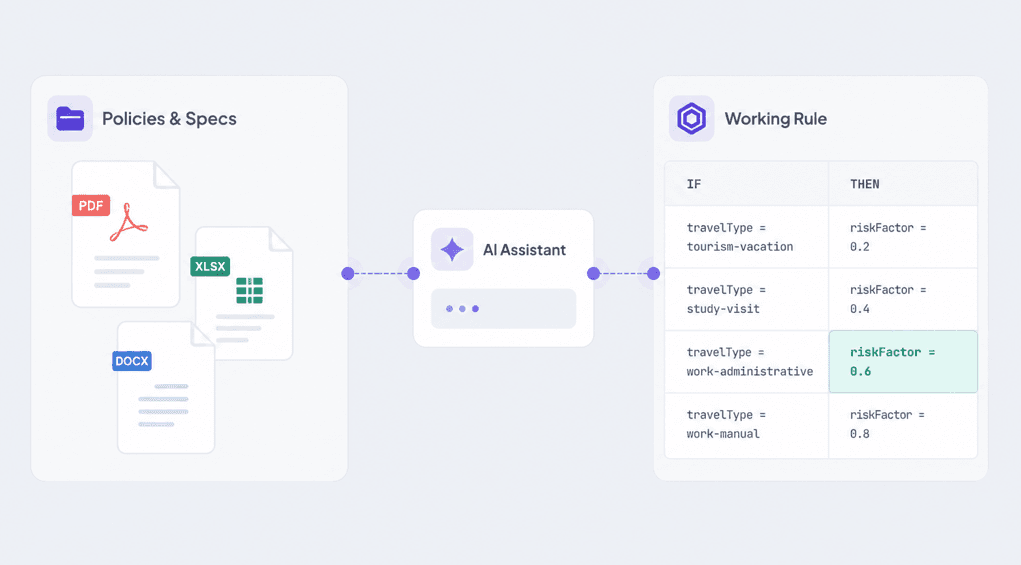
Paste in a written policy, an underwriting guideline, or a requirements document, and ask the Assistant to help you turn it into a rule. Instead of re-typing the logic by hand, you give the Assistant the source material and work forward from there.
This is especially useful when the business rules already live in a PDF, a spreadsheet, or a specification, and someone has to translate them into a working rule.
- Attach policies, specs, and spreadsheets directly in chat
- Prompt and file content used together in a single request
- A faster path from written requirements to a working rule
Working with a Policy Document?
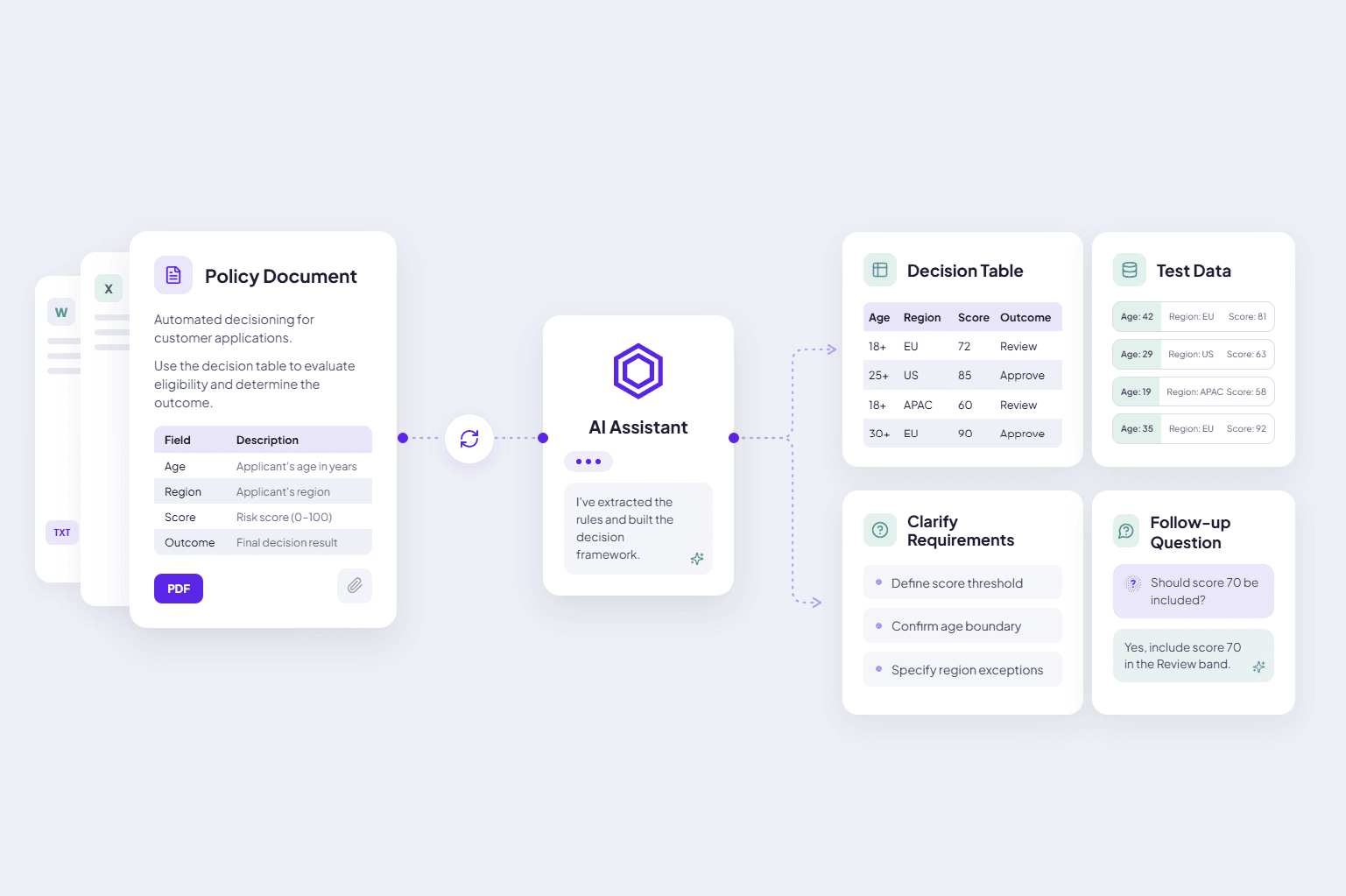
Business rules are often defined in policy documents, technical specifications, spreadsheets, or legacy rule definitions. Instead of manually extracting the relevant logic, upload your document once and let the AI Assistant use it as context throughout your conversation.
Generate Decision Tables, create test data, clarify requirements, or ask follow-up questions—all while working from the same uploaded document.
- Up to 10 MB per file
- Supports PDF, TXT, MD, CSV, XLSX, DOCX, XML, and IBM ODM formats
- One document, reusable across several requests
Frequently Asked Questions
Still have questions? We have answers.
Getting Started
How It Works
General
Try for Free
Experience DecisionRules at no cost. A credit card is not required for the trial.
Start for freeContact Sales
Have questions? Our sales team is here to help you find the best solution for your business.
contact sales