White Labeling
Bring your brand into DecisionRules — your environment, your identity.
Customize DecisionRules with your branding to give your teams a unified experience. Add your company logo apply your brand colors and tailor the interface without affecting any internal functionality. Keep the power of DecisionRules with your look and feel.
Create a unified experience
Integrate DecisionRules into your company’s ecosystem with your branded interface. Deliver consistency across tools and reinforce a single digital identity for your users.
Centralized and simple to manage
Update branding from one place. Control logo and color settings independently in Organization and maintain a consistent look that’s easy to evolve over time.
Improve user adoption with familiarity
When teams see a tool that aligns with their daily tools and company branding, it feels native to their workflow — leading to faster onboarding and stronger engagement.
Embed your identity in the interface
Replace the default branding with your company logo to create a more intuitive and branded experience.
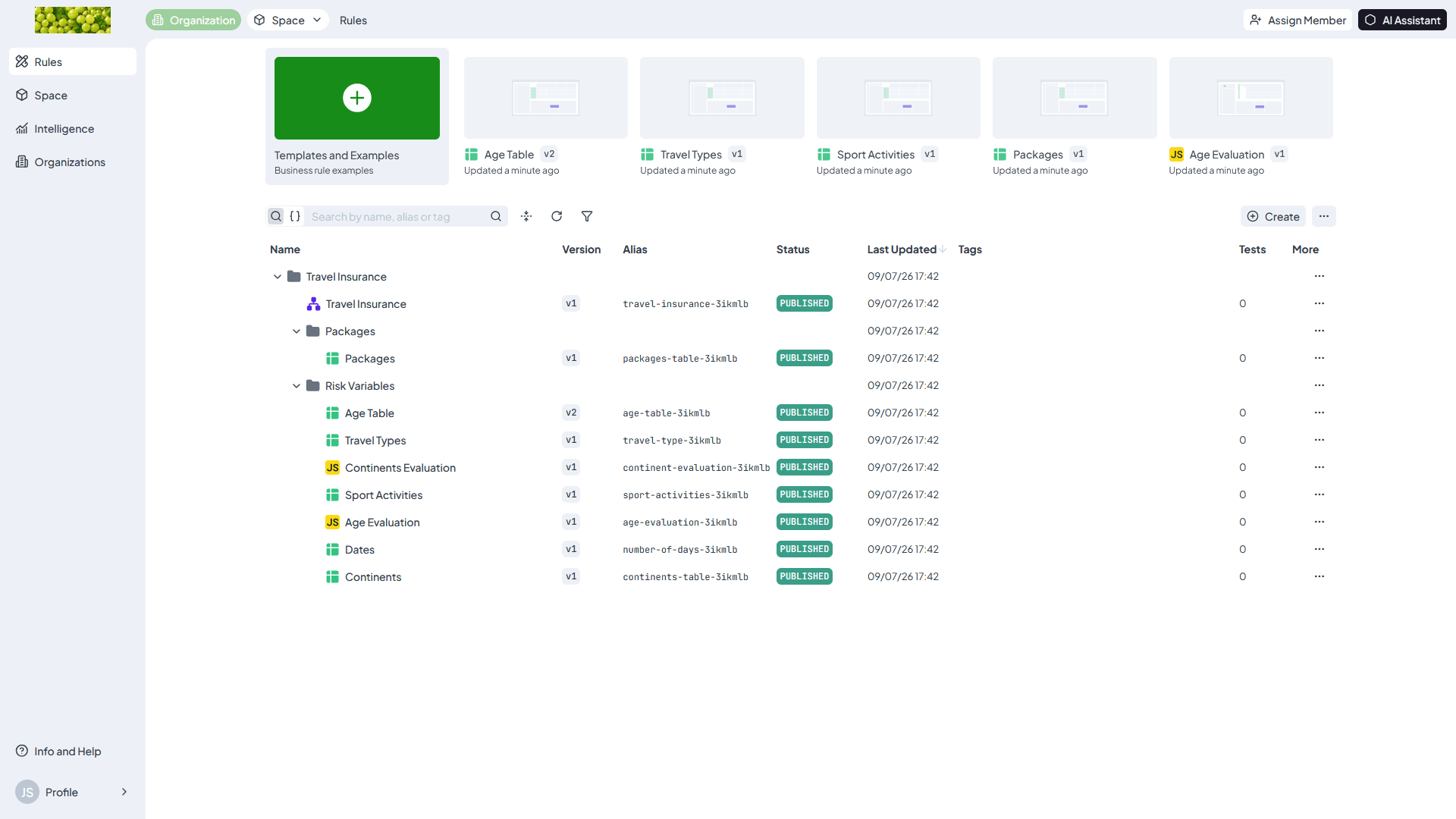
Match your design system with custom colors
Go beyond the logo by adding your brand colors to UI elements. This helps maintain a consistent look with the rest of your internal tools and software.
Control branding from one place
All branding settings live under Organization Branding. You have full control over your logo and colors in one place. You can preview your changes in real time and update at any time without affecting workflows or rules.
Frequently Asked Questions
Still have questions? We have answers.
Getting Started
Customizing Your Brand
Working with
Best Practices
Try for Free
Experience DecisionRules at no cost. A credit card is not required for the trial.
Start for freeContact Sales
Have questions? Our sales team is here to help you find the best solution for your business.
contact sales